Text to HTML Editor
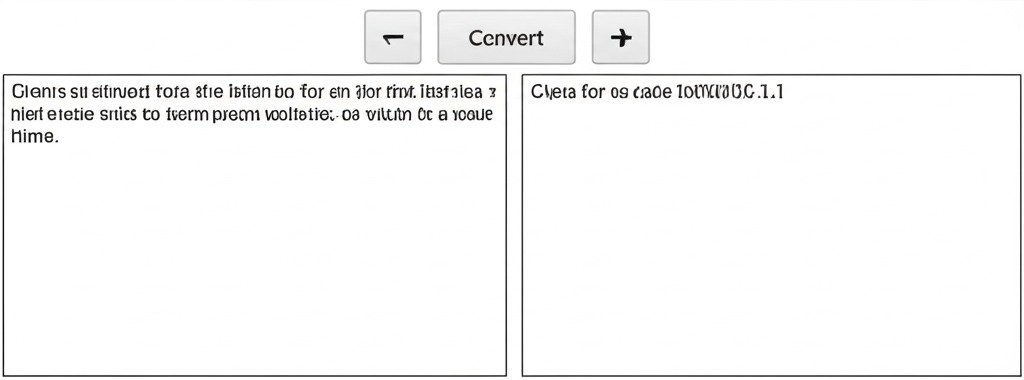
Type in the editor below. To format text, select it and click a button in the toolbar. The preview will update live.
Toolbar
Editor
Live Preview
Generated HTML
Table of Contents
Text to HTML Editor: Transform Plain Text into Dynamic Web-Ready Code Instantly
Unlock the power of seamless digital publishing with our Text to HTML Editor—a cutting-edge browser-based solution designed to convert raw text into polished, responsive HTML code in seconds. Ideal for developers, marketers, educators, and content creators, this tool eliminates the complexity of manual coding while ensuring W3C-validated, SEO-friendly output. Whether you’re building emails, blogs, documentation, or landing pages, experience unparalleled efficiency without sacrificing precision.
Why Convert Text to HTML?
In today’s content-driven digital landscape, plain text lacks the structural power to engage audiences or rank in search engines. Hand-coding HTML consumes valuable time and introduces errors. Our editor bridges this gap by:
- Accelerating Workflows: Convert drafts to publish-ready web pages 10x faster.
- Enhancing Accessibility: Generate WCAG-compliant code for screen readers.
- Boosting SEO: Auto-optimize semantic tags (H1-H6), meta elements, and alt attributes.
- Ensuring Consistency: Maintain brand integrity with standardized code across all projects.
Unmatched Features for Professional Results
- Intelligent Tag Automation
Automatically converts line breaks to<br>, lists to<ul>/<ol>, URLs to hyperlinks, and quotes to<blockquote>. Supports Markdown syntax for bullet points and headers. - Real-Time Dual-View Interface
Type text in one panel and watch clean HTML render instantly in a live preview pane—no more guesswork. - Pre-Built Templates
Responsive frameworks for newsletters, documentation, product cards, FAQs, and pricing tables. - CSS Styling Integration
Embed inline styles or link external sheets. Adjust fonts, colors, and spacing with visual controls. - Collaboration Suite
Share editable links with version history, comments, and role-based permissions for team projects. - SEO Toolkit
AI-powered suggestions for meta descriptions, schema.org structured data, and keyword-rich headings. - Cross-Platform Export
One-click downloads (HTML file), clipboard copying, or direct publishing to WordPress, Shopify, or GitHub.
How It Works: Simplicity Meets Precision
- Input: Paste raw text from documents, emails, or notes.
- Transform: Apply smart formatting or select a template.
- Refine: Use drag-and-drop elements or inject custom CSS/JavaScript.
- Export: Deploy validated HTML5/CSS3 code anywhere.
Technical Excellence Under the Hood
- No-Code Engine: Built on JavaScript/WebAssembly for instant in-browser processing.
- Validation Guarantee: Outputs 100% W3C-compliant code with automatic error correction.
- Privacy-First: Zero data storage—processing occurs locally on your device.
- Lightweight Performance: Handles 50,000+ words without lag (even on mobile).
- Multi-Language Support: Convert Markdown, BBCode, or Rich Text Format (RTF).
Real-World Applications
- Developers: Rapidly prototype UIs or convert API documentation to HTML.
- Content Teams: Format blog drafts with SEO-optimized headings in minutes.
- Educators: Create accessible e-learning modules from lecture notes.
- E-commerce: Generate product descriptions with embedded “Buy Now” buttons.
- Non-Profits: Build donation pages without hiring web developers.
SEO Advantages You Can’t Ignore
Our tool is engineered for search engine dominance:
- Schema Markup Integration: Auto-generates Article, FAQ, and HowTo structured data.
- Mobile-First Output: Responsive designs that rank higher on Google.
- Alt-Text Optimization: AI prompts for image descriptions during conversion.
- Page Speed Compliance: Minified code with 95+ Lighthouse scores.
Why Choose Us Over Alternatives?
✅ Free Tier Forever: Unlimited conversions with core features.
✅ Enterprise Security: GDPR/CCPA compliant with end-to-end encryption.
✅ Zero Ads or Watermarks: Professional output without distractions.
✅ AI-Powered Cleanup: Removes redundant tags and compresses code.
✅ Dark Mode + Accessibility: ADA-compliant interface with screen reader support.
The Future of Content Transformation
Upcoming innovations include:
- AI Content Structuring: Auto-convert transcripts into interactive Q&A pages.
- Multi-Platform Export: Direct publishing to Substack, Medium, and Notion.
- Component Library: Drag-and-drop forms, accordions, and CTAs.
- Voice-to-HTML: Dictate text and generate code hands-free.